


One of the most stressful parts of lifecycle marketing is actually hitting send because there’s no undo button, which means the stakes are really high for getting things wrong. QA testing is perhaps one of the most important parts of any lifecycle program. I think this quote I heard one time sums it up nicely:
“Trust is gained in drops and lost in buckets.”
Regan Davis, Lifecycle Marketing Lead at Spring Health, built a Claude skill that automatically runs QA testing entirely. And she was kind enough to share exactly what she built and how it works with this community.
The problem: every message needs QA testing
" Email QA is one of those tasks that's important enough to have a 19-point checklist and routine enough that the checklist gets skipped the moment things get busy. I wanted to stop choosing between thoroughness and speed, so I built a system that does the audit pass automatically, and the human just does the judgment call.
The solution: QA that runs itself with Claude
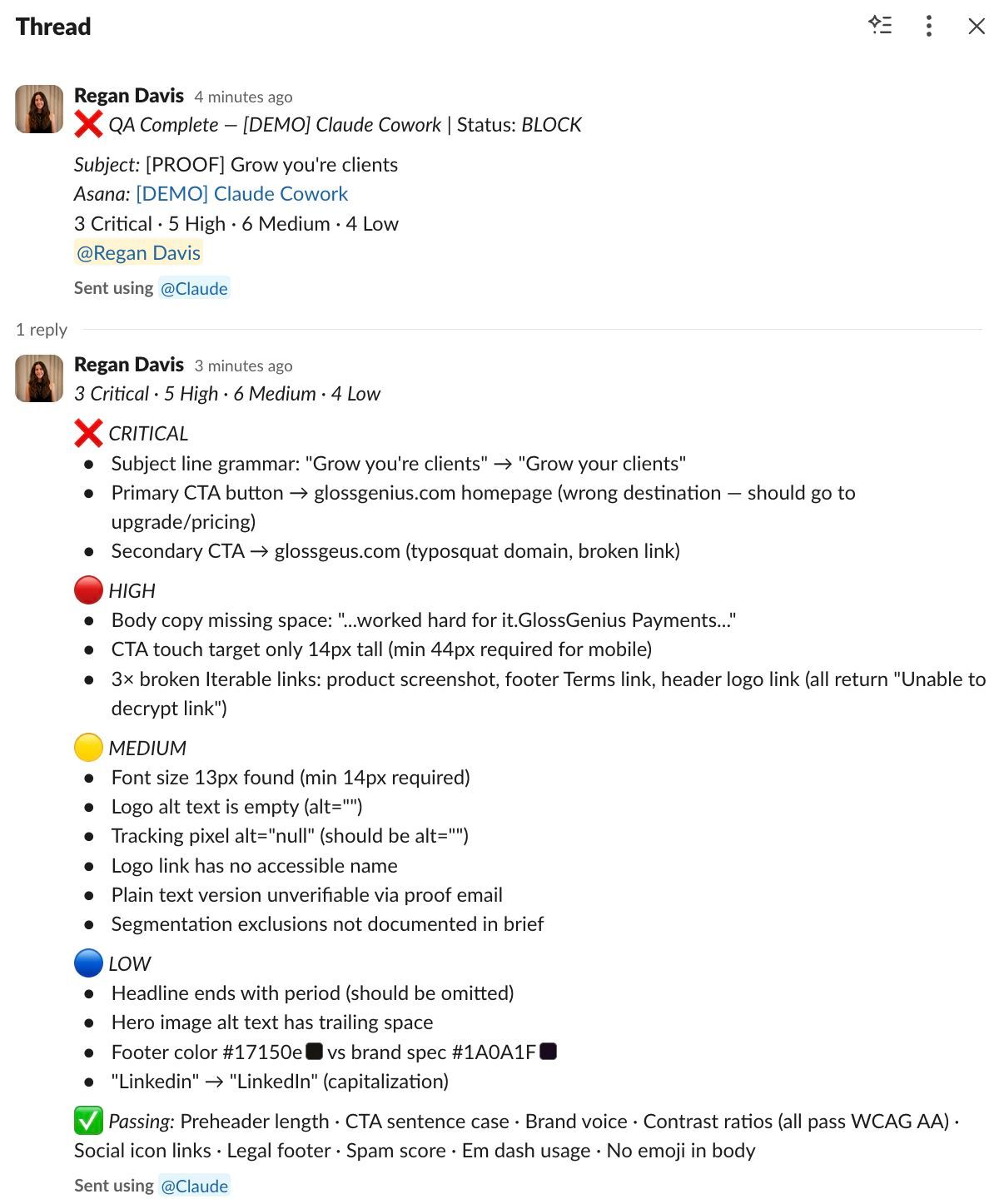
" This skill works by monitoring your Asana project for campaigns in "Proof Sent" status, pulls the corresponding proof from Gmail, and runs 18 automated checks — everything from link validation and personalization tokens to image weight, contrast ratios, and brand tone. It posts a summary to Slack and updates the Asana subtask with a PASS, WARN, or BLOCK so whoever's signing off knows exactly where to focus. You set it up once, and it runs every 20 minutes during business hours, or you can trigger it manually when a proof drops.
The result: a stale tag and a bad link
" Here's an example of how it worked during my time at GlossGenius. A proof came through for a product feature email campaign, and the skill flagged a few things: a help article link still had a [BETA] tag that didn't match our launch positioning, and the CTA link text said "here" instead of something descriptive, which is an accessibility fail. All of them are quick fixes, but they're the kind that erode customer trust if they ship.
What you need before you start
" The tricky bit is grabbing your Asana GIDs, but the CONNECTORS.md explains where to find them within the plugin.
Closing thoughts
QA testing is roughly the same process every time, and AI is really good at understanding processes as long as you can give it the proper context — and there's nothing fun about this type of work, as you are probably well aware. Also, if your tech stack looks slightly different (e.g., you don't use Asana or Slack), just tell Claude to update this skill based on your context, and it will likely work the same way.
" Manual QA stinks! And it is very prone to human error. With this skill, we catch more and ship emails faster.